Implementing Conversions
To get started with our conversions feature, an API call needs to be made when a customer completes a desired event (i.e. purchases an item).
Check out the API docs for more info!
Attributing Conversions
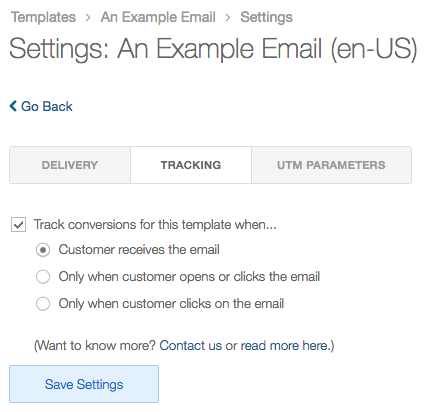
Customer conversions are configured on a per template basis and they’re always attributed to the most recent email a customer was sent. Currently we support conversions on three different events:
Customer receives the email Conversions are tied back to customers that have been sent an email. Opening and clicking the email doesn’t affect the counts at all.
Only when customer opens or clicks the email Conversions are tied back to only customers that have opened or clicked an email.
Only when customer clicks on the email Conversions are tied back to only customers that have clicked an email. Opens don’t affect the count.